Otter Alongside · Stage 2 of 6
Your first month
How to stay in touch, who you'll speak to, and the things families most often ask in the first few weeks.

None of this is compulsory reading.
The first few weeks are the ones with the most questions in them. Here are the answers families ask us for most often.
None of it is compulsory reading. If you'd rather just ask a person, that's completely fine — and often quicker.

Office open 8:30am – 5pm, Monday to Friday. Outside those hours you'll get through to our on-call team, who can always reach a manager.
How much you'd like to see
Families are different, and we'd rather ask than assume.
Some want to read every visit note the same evening. Others would far rather we simply picked up the phone when something needed saying, and otherwise got on with it. Both are completely fine, and neither is the "right" answer.
Most families We ring you when something changes, and at your relative's reviews. No app, no logins, nothing to set up. This is what most families choose, and it works perfectly well.
 Ask us for it
 Access to the care app, where you can read each visit's notes, times and completed tasks as they happen. Good if you live away, or if several of you want to stay in the loop.
App access isn't set up automatically — you need to ask, and your relative (or their representative) needs to agree to it. Ring the office or mention it to whoever's next at the door, and we'll get it started.
The setup steps below also live on a single page of their own — handy to send round the family.
Getting set up
It takes two short emails and usually about a day. It isn't instant, and that's normal.
Let the office know you'd like access, and who for.
Search for Access Care Planning and install it.
Open the app and email us a photo of the first screen.
Usually the same day. Then you're in.
It isn't called Otter
The app you need is called Access Care Planning — look for the red circle. Searching the app store for "Otter" won't find it.
It's the care system we use rather than something we built ourselves, so it carries their name, not ours. That trips up almost everyone, so if you've already gone hunting and given up, that's why.
Finding your device ID
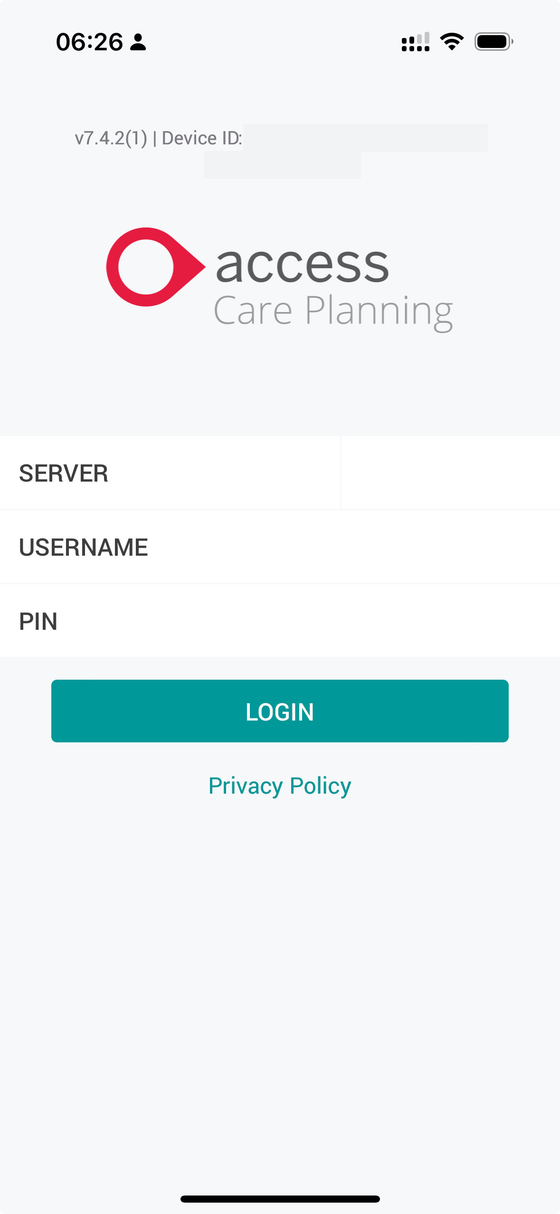 This bit
 Open the app and look at the very top of the login screen — there's a line of small text there. That's your device ID, and we can't register you without it. Screenshot that whole screen and email it over.
Don't tap the red button. Newer versions show a red "Login with your Access account" button above the boxes. That one's for staff at other organisations — yours are the three boxes underneath.
We never publish login details on this page. They only ever come to you directly, by email.
The bit everyone gets stuck on
Once you're logged in, the app will look empty. That's expected — nothing has gone wrong. You have to follow your relative's records before anything appears.
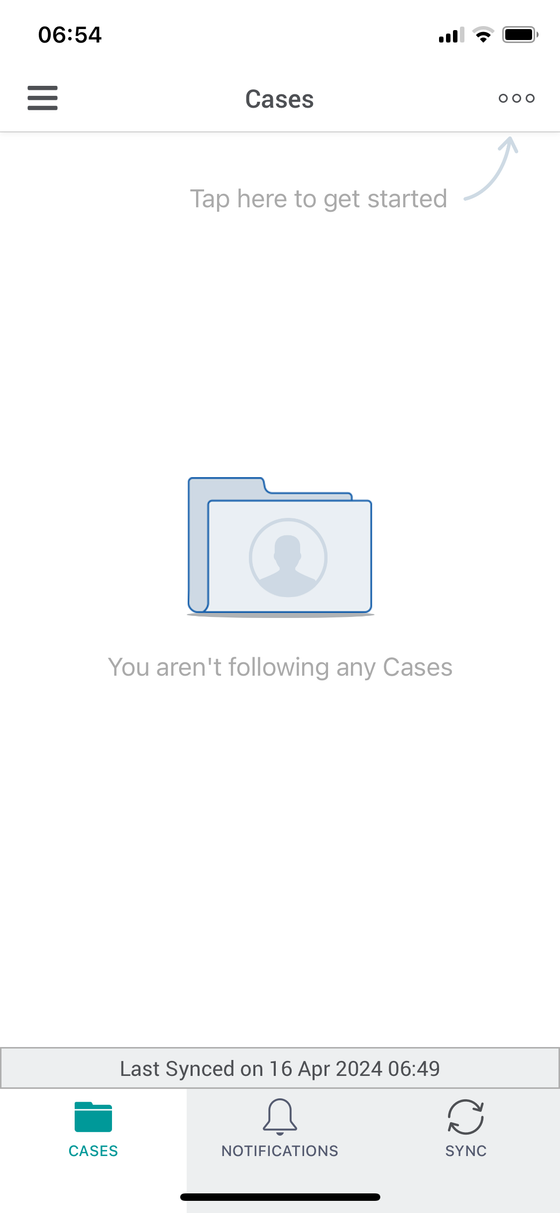
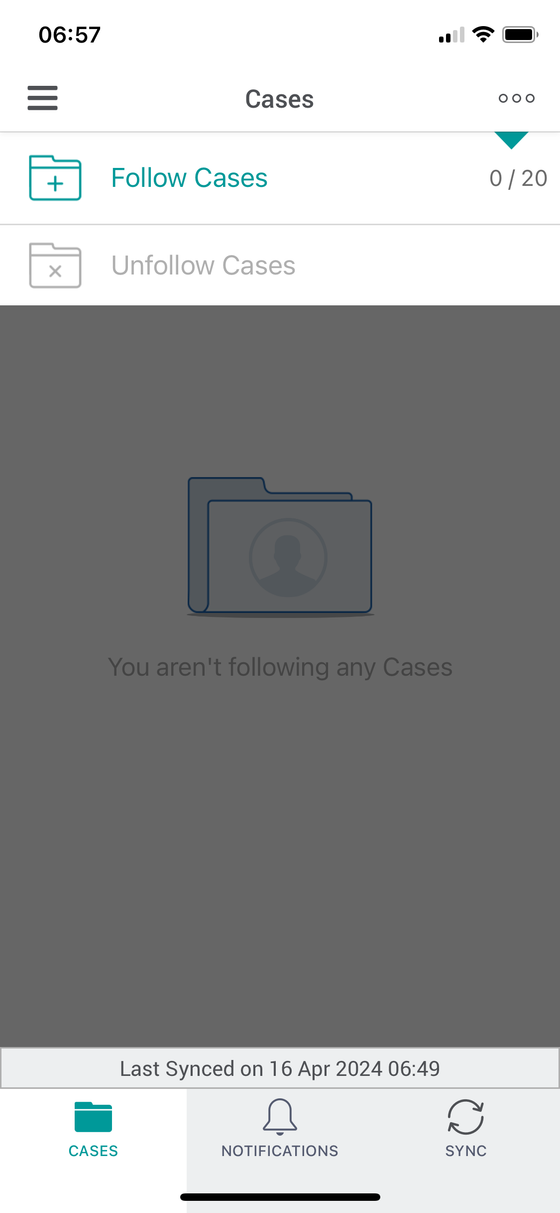
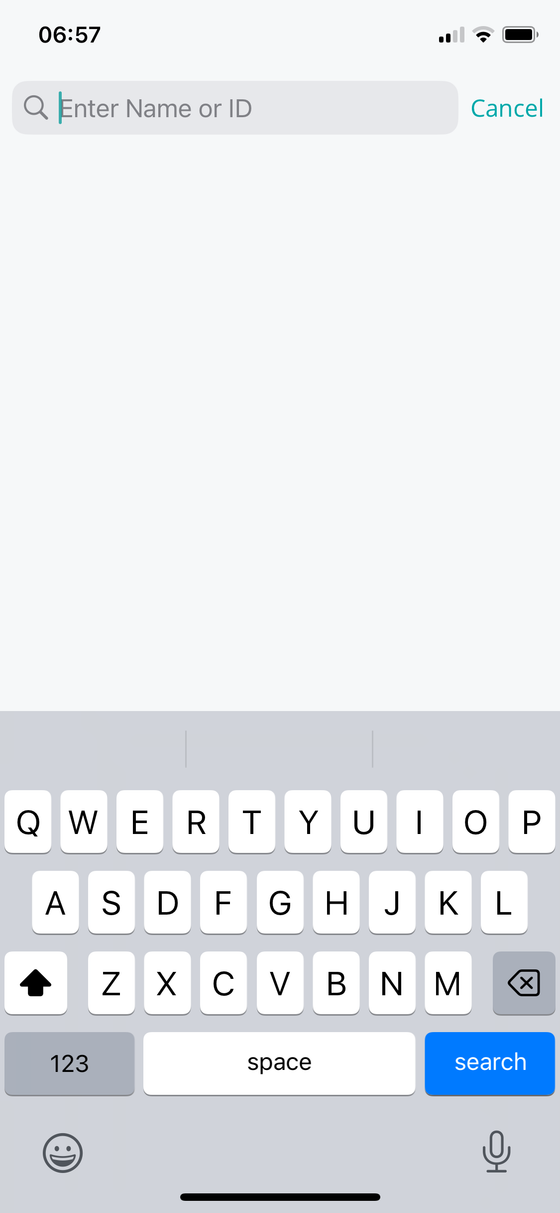
Now you'll see everything. If you've logged in fine and the screen is still blank, it's almost always this step.
What you'll be able to see
 Visits
 Every visit — when your Care Professional arrived and left, which tasks were done, and the notes they wrote afterwards. This is the part most families read day to day. It's written by the person who was actually there, in their own words.
 Case forms
 The fuller picture: the care plan, key contacts, risk assessments, medication changes and notes from reviews.
You'll have view-only access — you can see everything recorded, but not change it. If something looks wrong, tell us and we'll correct it properly, so there's a clear record of what changed and why.
Access is set up for up to three people, chosen by your relative or their representative, and can be removed at any time by asking any of us. You don't need to give a reason.
Who you'll actually speak to
No call centre, no ticket number. The same small team every time.

Accountable for the quality and safety of your relative's care. Arranges visit times and the rota.
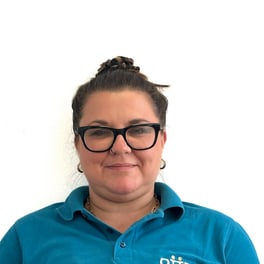
Out visiting, checking how care is going.

Out visiting, checking how care is going.

Looks after our Care Professionals' training.

Started Otter after caring for his own dad.
Whoever picks up will know who you are. If they can't answer something there and then, they'll find out and come back to you.
What we can and can't share
This is the one that causes the most upset early on, so we'd rather explain it now than have it come as a surprise.
If your relative can make their own decisions, then legally those decisions are theirs — including what gets shared with you, and what care they'll accept. Being their son or daughter doesn't by itself give you the right to decide for them. When we check with them first, that isn't us being obstructive. It's the law, and it exists to protect them.
It cuts both ways: the same rules mean nobody can make decisions about your relative without proper reason either.
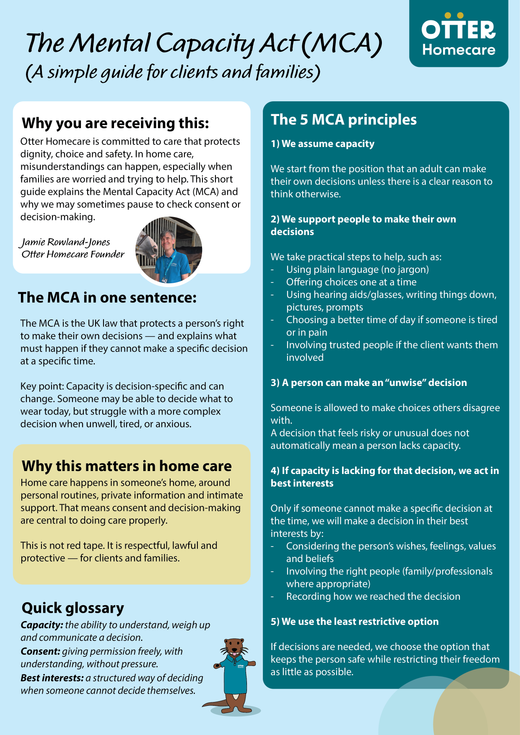
The Mental Capacity Act — a simple guide
Our own two-page guide, written for clients and families. The five principles, the three misunderstandings we hear most, and what we can and can't do. Print it and keep it with the care plan.
There's also a longer, plain-English version on our blog: the Mental Capacity Act, explained simply — it covers the specific situations families run into most.
If you hold Lasting Power of Attorney, tell us and send us a copy, and we'll record it.
Money, and help beyond us
Things families often don't realise they can claim. None of these come to us — we'd just rather you knew about them.

For people over State Pension age who need help with personal care. Not means-tested, and savings don't count against it. Check and claim on GOV.UK.

If you're caring for someone yourself for 35 hours a week or more. Check and claim on GOV.UK.

Your council assesses your needs as a carer, separately from your relative's. Free, and rarely asked for. How to ask for one — NHS guide.
Several apply, including where someone has a severe cognitive impairment. Apply on GOV.UK.
There's more going on locally than most people expect, too — day centres, memory cafés, carer support groups, befriending and community transport. Ask us and we'll point you at what's running near you.
For what our own care costs, see the cost of home care.
If something isn't right
Tell us. Early and small is far easier to put right than late and large.
You won't cause trouble by raising something, and it will never affect the care your relative receives. If it's serious we'll come out and see you in person, including at weekends. And we'll tell you what changed as a result — that last part is the bit most people never get.
Ring the office, or say it to whoever's next at the door. Both reach the same place.